For livery yards

The app for your livery yard

StalliQ brings arena occupancy, announcements and billing together in one place - instead of spread across a notice board, a chat group and a spreadsheet. Your livery clients see occupancy in a weekly view with traffic-light colours, read announcements in the app and maintain their horse's data themselves. For them it is free.

Almost every yard knows this

What StalliQ takes over

Occupancy plan with traffic lights

The weekly view shows all bookings in a time grid, colour-coded by capacity: green means free places, amber partly booked, red full. Switchable between list and grid view.

Arenas and disciplines

You create your arenas with capacity and discipline assignment - indoor arena, outdoor arena, horse walker. Bookings can then be assigned to a specific arena.

Announcements instead of a notice board

Important messages reach all members directly in the app instead of hanging on a board.

Emergency record for every horse

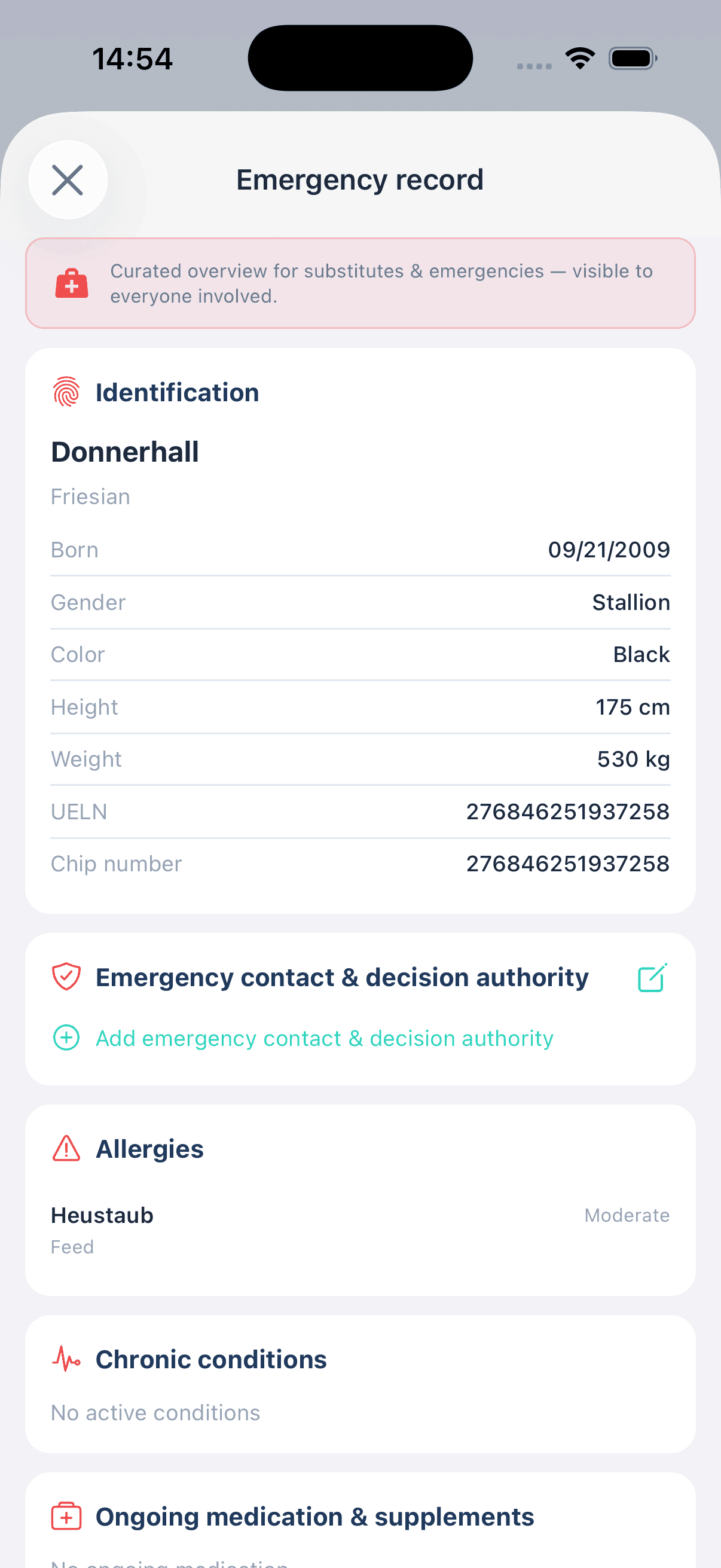
Identification, allergies, long-term medication and emergency contacts on one page - shareable as a PDF and visible to share riders.

Assign tasks instead of shouting across the yard

Feeding, mucking out, turnout, box care: you create a task for the yard, assign the people responsible and schedule it recurring. If it is not done in time, StalliQ reminds them automatically by push. In the web portal a table shows what is yours to do and what you have handed out.

Costs and receivables

Livery clients record their own costs per horse. On the business side you keep track of open receivables and payments.
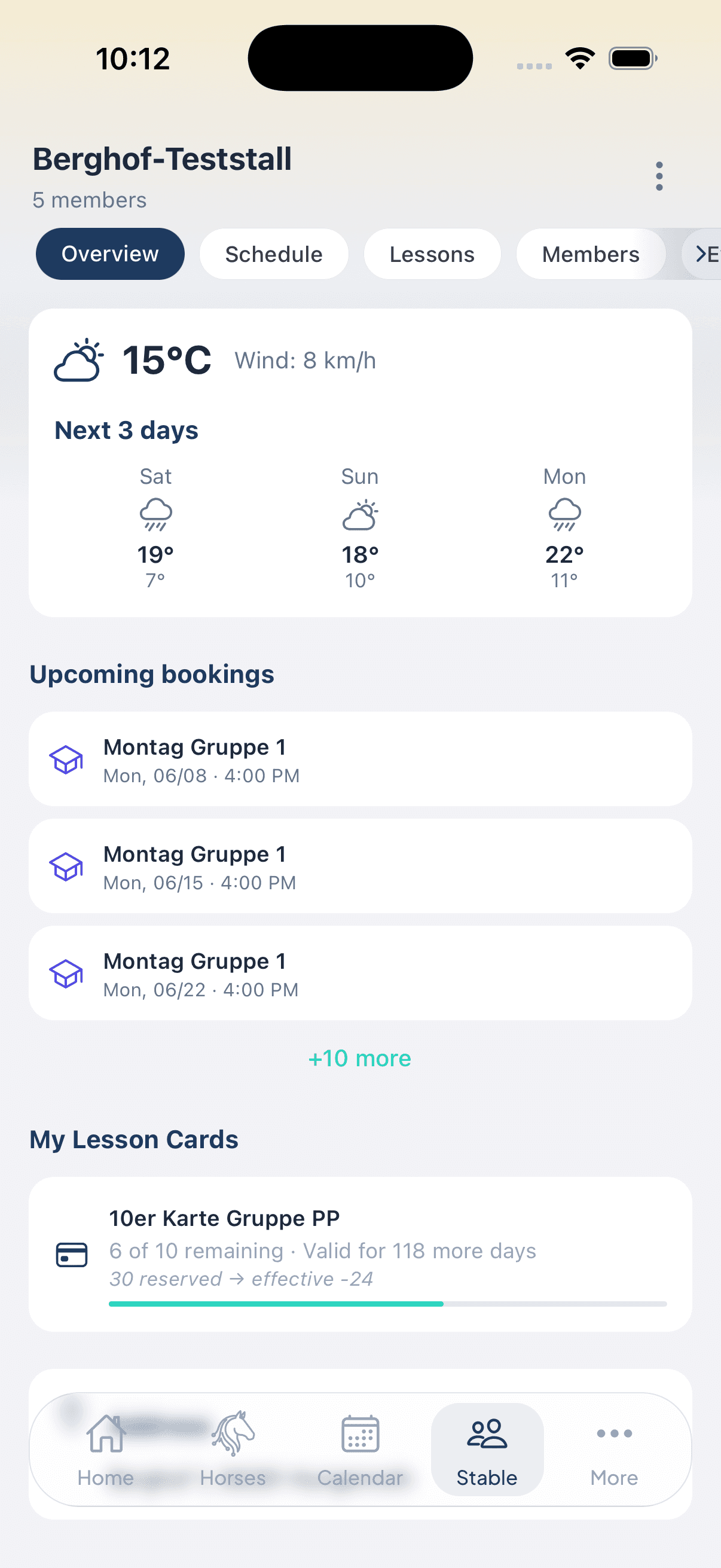
Stable overview with weather, announcements and bookings
Emergency record with identification, allergies and ongoing medication - shareable as PDF

Read it step by step

The key guides for running a yard:

Frequently asked by livery yards

Do my livery clients have to pay anything?

No. Livery clients use StalliQ free of charge: viewing occupancy, reading announcements, managing their horse, keeping appointments. Only the business pays for the stable subscription.

How does arena occupancy work?

The stable tab opens a weekly view with a time grid across all bookings of the week. The colours show capacity: green means free places, amber partly booked, red full. Tapping a booking shows the details.

What do my clients see of each other?

They see stable occupancy, announcements and the member list. A horse's health data is only visible to those who have been granted access - the owner decides who to add.

Can I try the stable first?

Yes. Every new stable starts with a free four-week trial with the full range of features. The stable is created in the web portal.

Can I hand out tasks to my staff?

Yes. A task can be personal, tied to a horse or to the whole yard. You assign further people as responsible - they then see the task in their own list. That way you can spread the weekly feeding rota across several people. Overdue tasks send an automatic push reminder, respecting each recipient's quiet hours.

Do I need a lesson business to use StalliQ?

No. Schedule, lesson cards and attendance tracking are meant for riding schools and can simply be left unused. Occupancy, announcements, members and horses work independently of them.

Organise your livery yard digitally

Four weeks free - set up in the web portal, your clients use the app at no cost.

See prices for stable operators